

- Pass or fail. “Explains step by step” asks: does the tutor explain the next step instead of giving the final answer straight away?
- A rating on a scale. “Encouraging tone” rates the tutor from 1 (dismissive) to 5 (warm and patient). For a rating evaluator, give the label for the worst result the lowest number and the label for the best result the highest number.
See your simulation evaluators
In the sidebar, under Agent simulations, click Evaluators. This page lists only the evaluators that score whole conversations.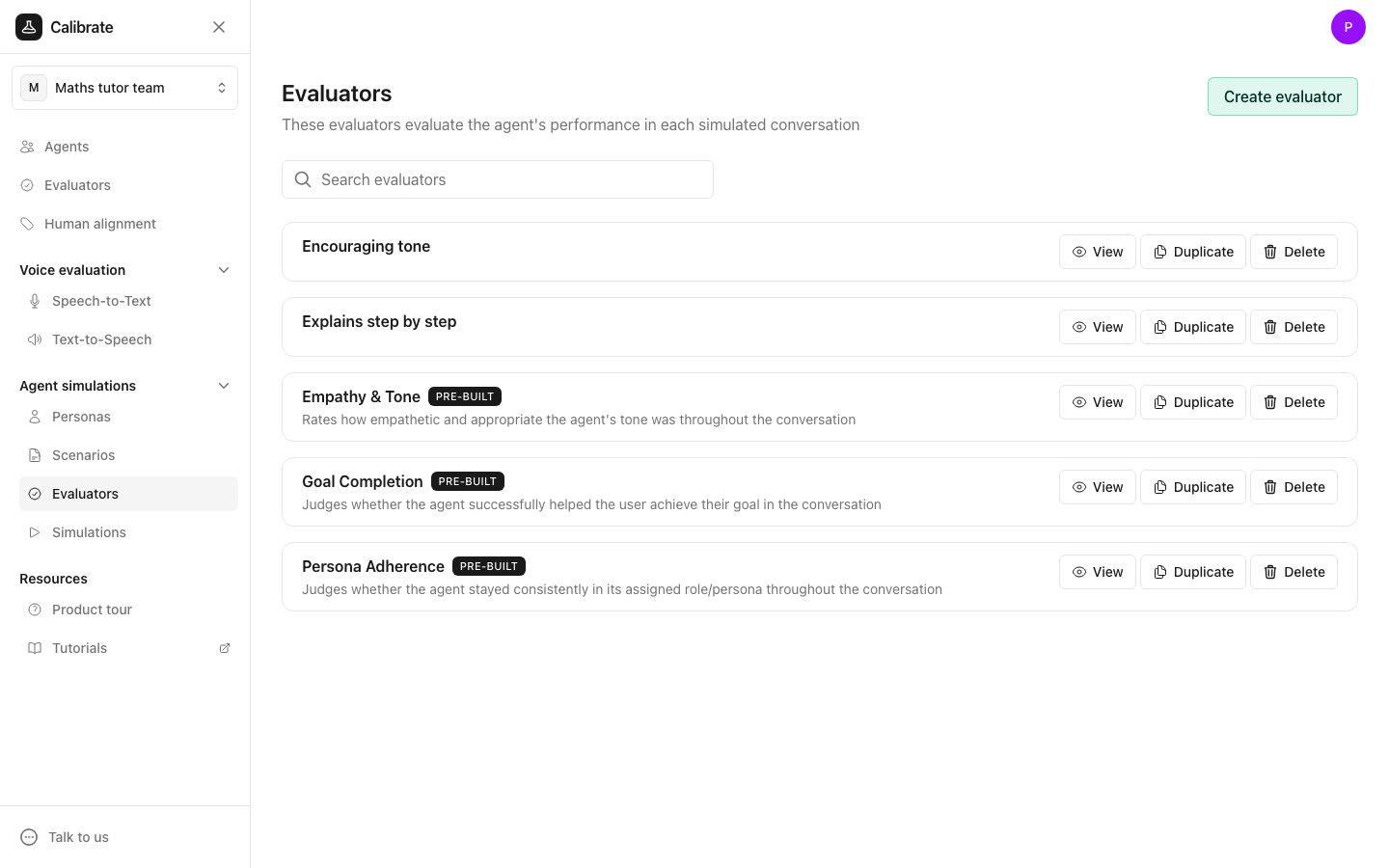
Each evaluator has three buttons:
- View shows the instructions the judge follows.
- Duplicate makes a copy you can change.
- Delete removes the evaluator from the workspace.
Create a simulation evaluator
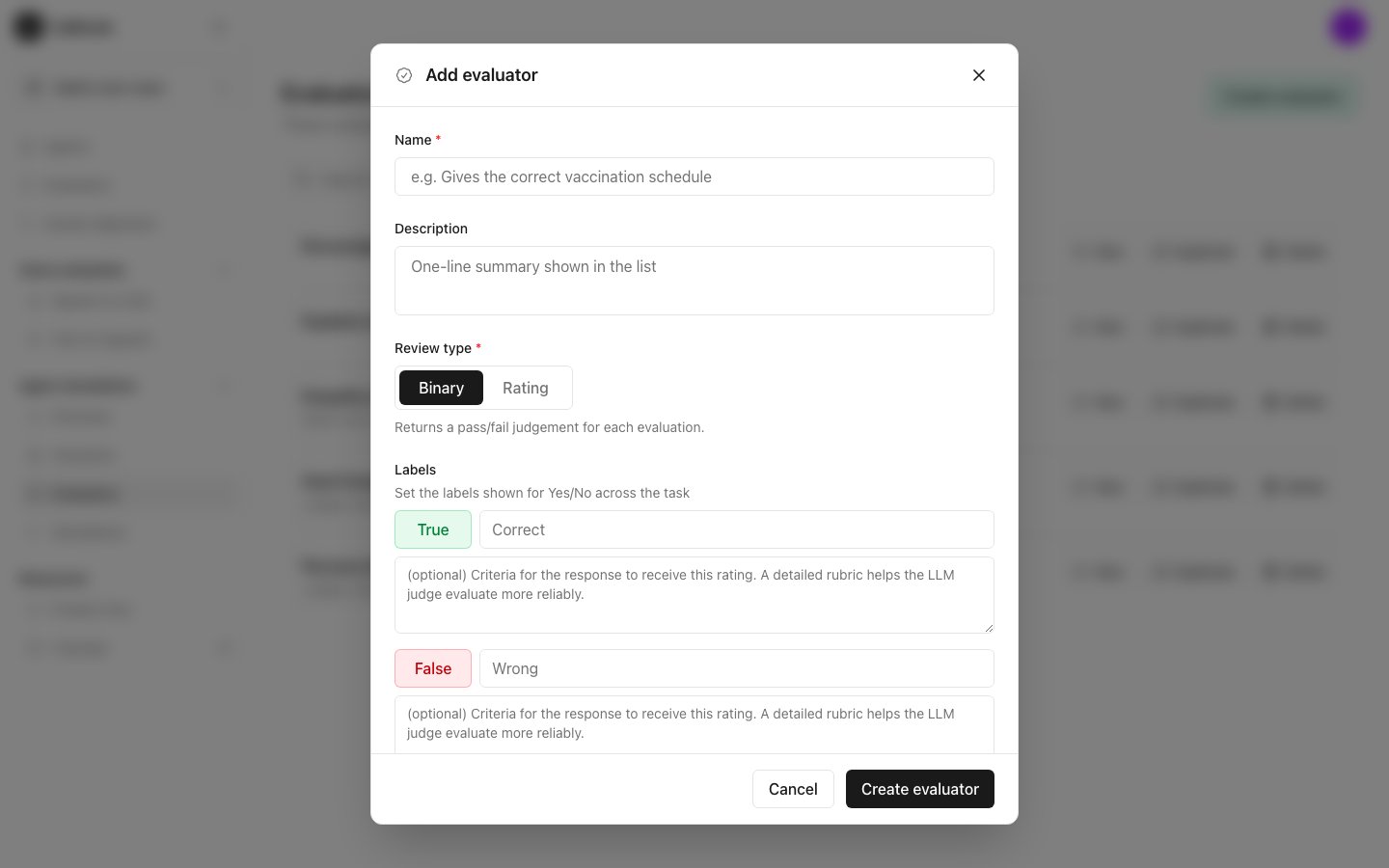
- Click Create evaluator at the top right of the page. The Add evaluator window opens.
- Enter a Name, such as “Explains step by step”. Description is optional and shows in the list.
- Under Review type, pick Binary for pass or fail, or Rating for a score on a scale. For Binary, you can change the Labels shown for a pass and a fail. For Rating, set the rows of the rating scale, each a number and a label. For a rating evaluator, give the label for the worst result the lowest number and the label for the best result the highest number.
- Under Judge model, pick the AI model that does the scoring.
- Under Judge prompt, write what the judge should check.
- Click Create evaluator at the bottom of the window.
{{...}} variables. Any you type are read as plain text.
Write instructions the judge can answer clearly from the conversation alone. For example:
Explains step by step
Encouraging tone
Add evaluators to a simulation
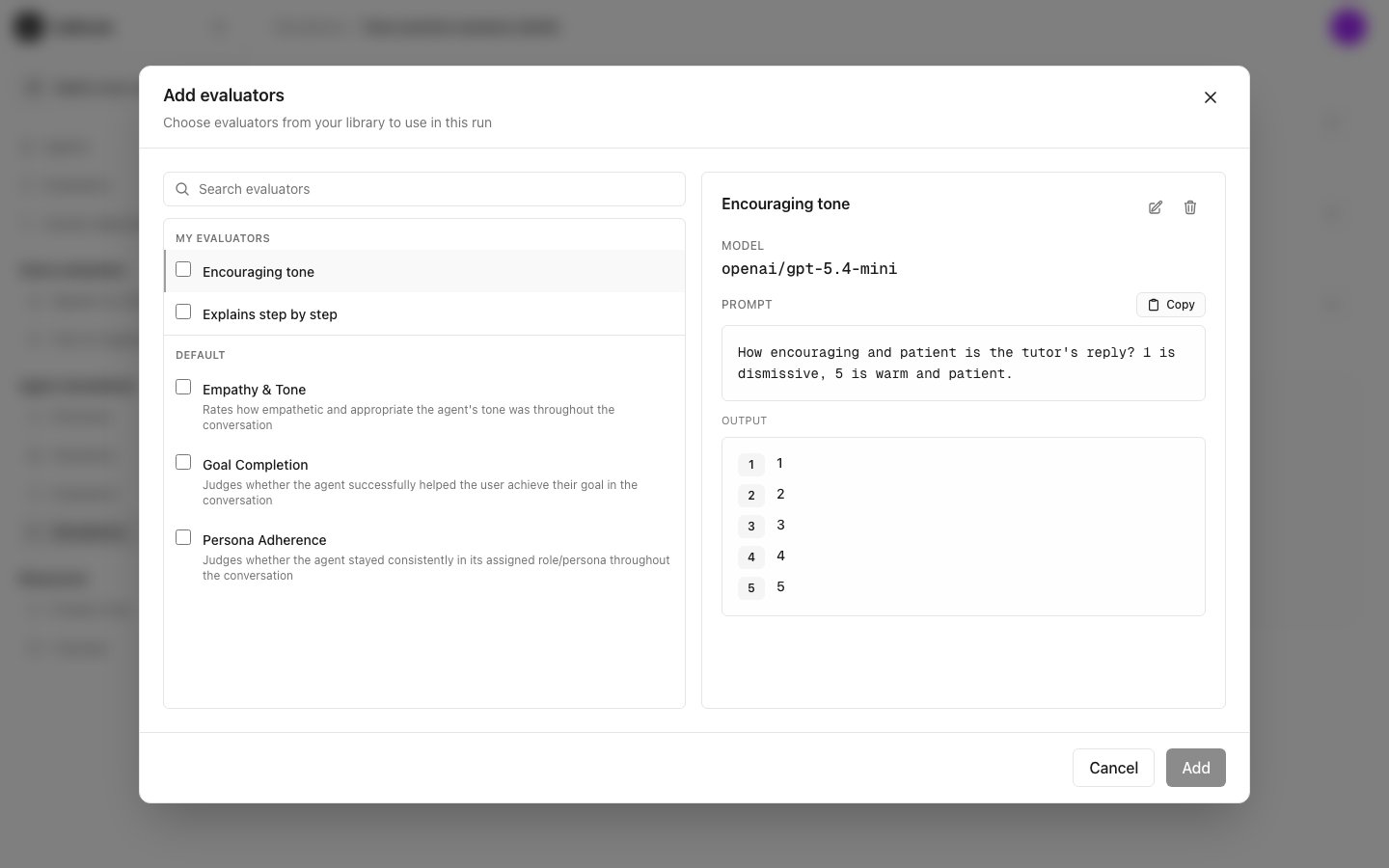
You pick evaluators on the Config tab of a simulation, under Select evaluators.- Click Add evaluators.
- Tick the evaluators you want. Your own evaluators are listed first, then the pre-built ones. Click a name to see its model and prompt on the right.
- Click Add.
How scores appear
On a finished run, each evaluator gets a card under Overall Metrics:- A pass or fail evaluator shows the share of conversations that passed, such as 75%.
- A rating evaluator shows the average score, such as 4.25/5.
Next steps
Run a simulation
Run a text or voice simulation and read the results
Evaluators overview
Learn how evaluators work across Calibrate