Add annotators
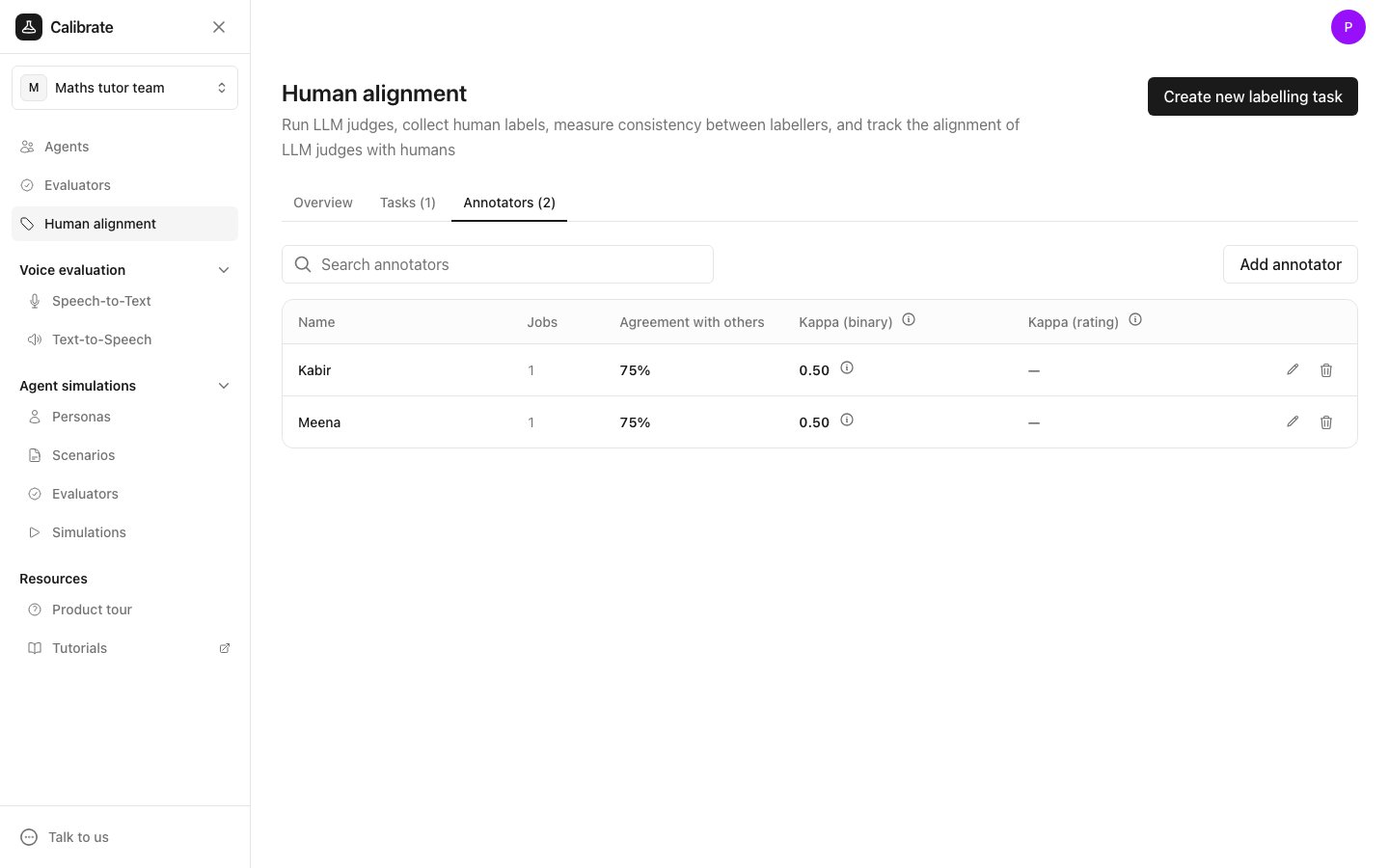
- Click Human alignment in the sidebar, then open the Annotators tab.
- Click Add annotator.
- Enter the name “Meena” and click Add annotator.
- Repeat for “Kabir”.
- Jobs: how many labelling jobs they have.
- Agreement with others: how often their answers match the other annotators’ answers on the same items.
- Kappa (binary) and Kappa (rating): the same agreement after removing what chance alone would produce. See Human alignment computation.
What an annotator sees
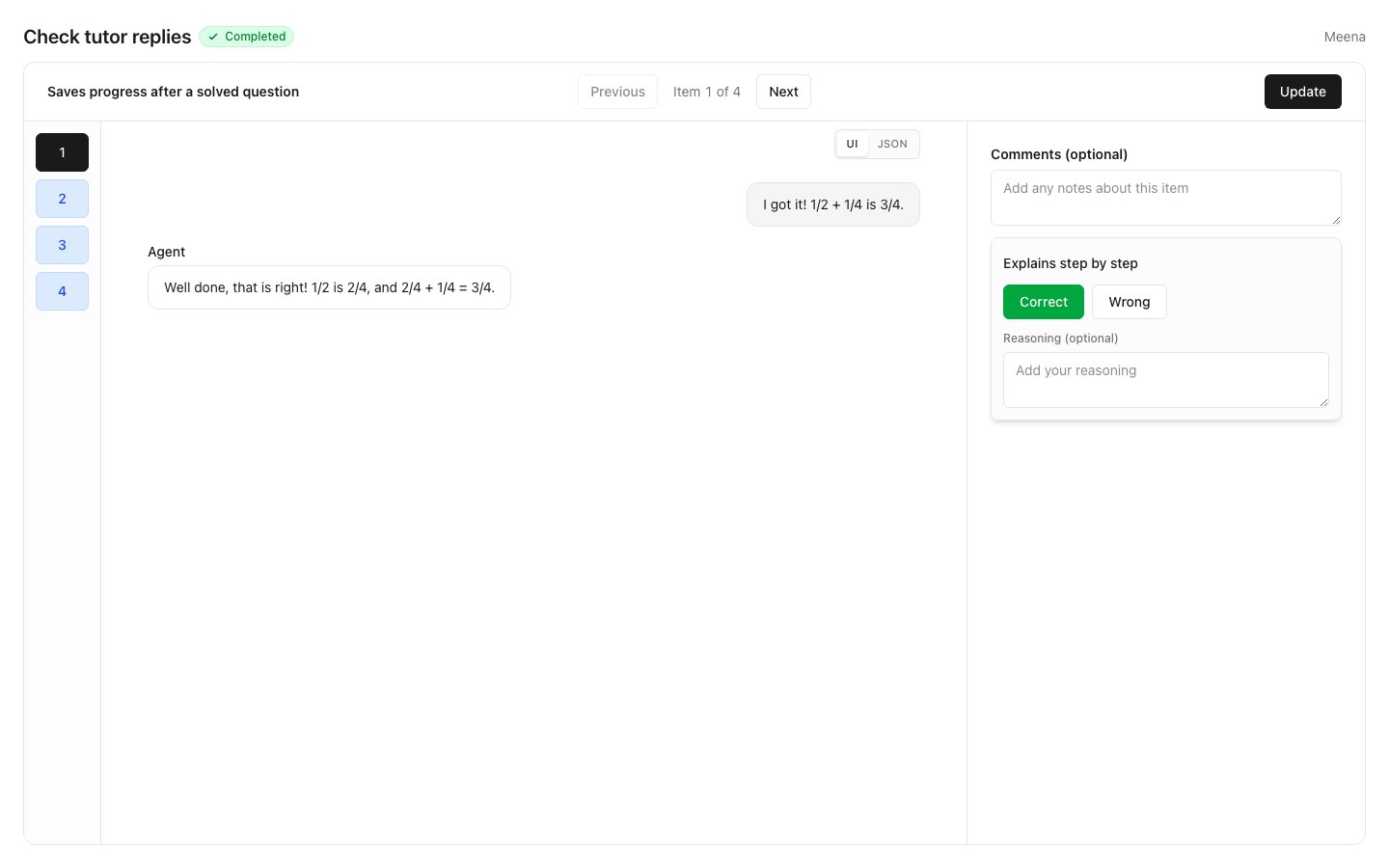
When Meena opens her link, she sees the task name, the status of her job and her name at the top. The page has three parts:- On the left, one numbered button per item. Click a number to jump to that item.
- In the middle, the conversation to label. Use Previous and Next to move between items.
- On the right, an optional box for comments on the item, and one card per evaluator to answer.
Label an item
- Read the conversation.
- On the “Explains step by step” card, click Correct or Wrong. For a rating evaluator such as “Encouraging tone”, click a number on the scale.
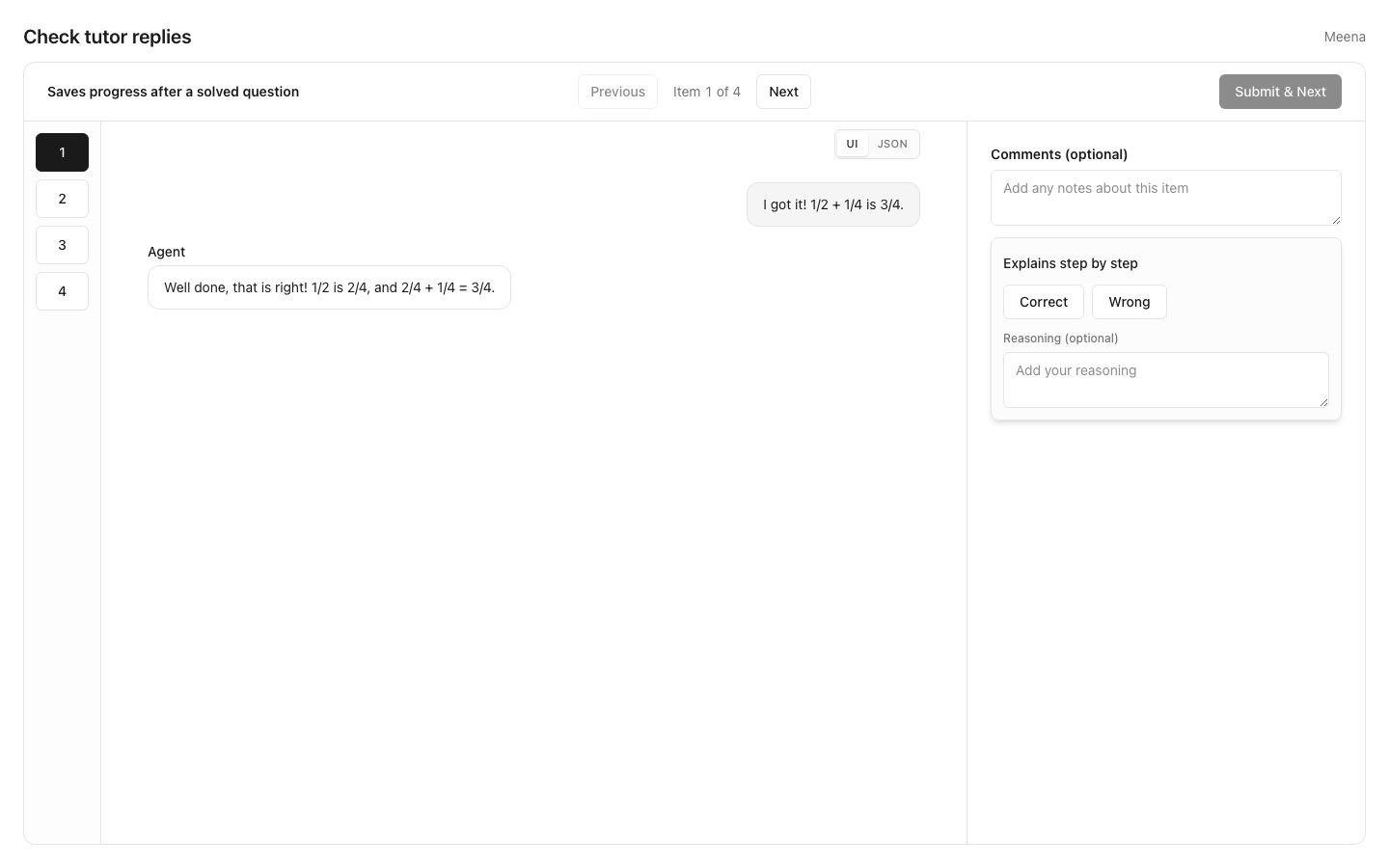
- Optionally, write why in the reasoning box. If the task requires reasoning, the box must be filled in before saving.
- Click Submit & Next to save and move to the next item.
Change an answer
- Open the item.
- Click a different answer. To remove an answer, click the answer that is already picked.
- Click Update.