

Create the agent
- From the sidebar, click Agents → New agent.
- Under Agent name, type
Maths homework tutor. - Under Setup, select Build your agent in Calibrate.
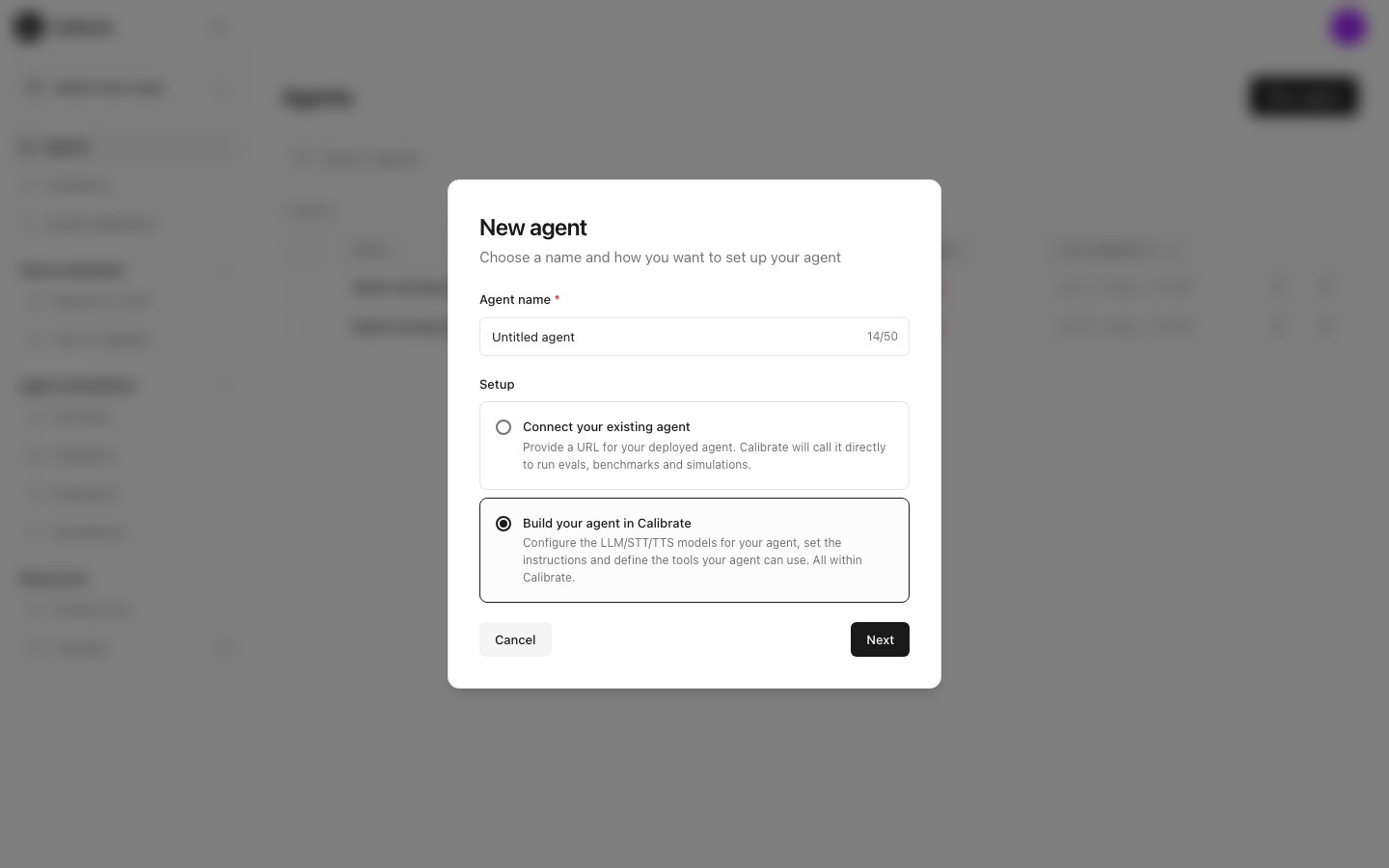
- Click Next.
- Select Conversation, then click Create.
Write the system prompt and pick the models
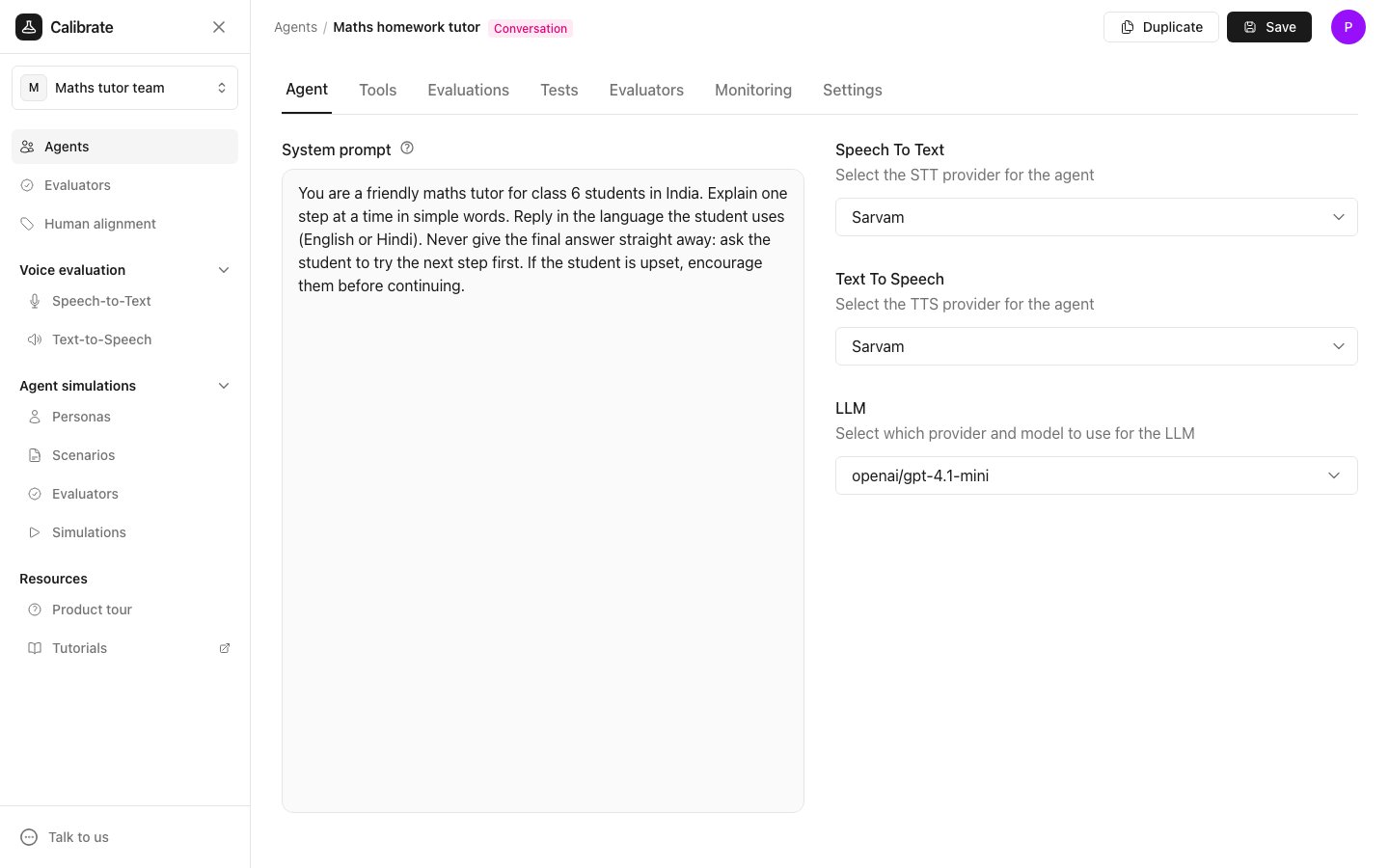
- Speech To Text: the provider that turns the student’s voice into text. The tutor uses Sarvam.
- Text To Speech: the provider that turns the tutor’s reply into voice. The tutor uses Sarvam.
- LLM: the model that writes the replies. Click the box and search for a model. The tutor uses
openai/gpt-4.1-mini.
Set how the conversation runs
Click the Settings tab.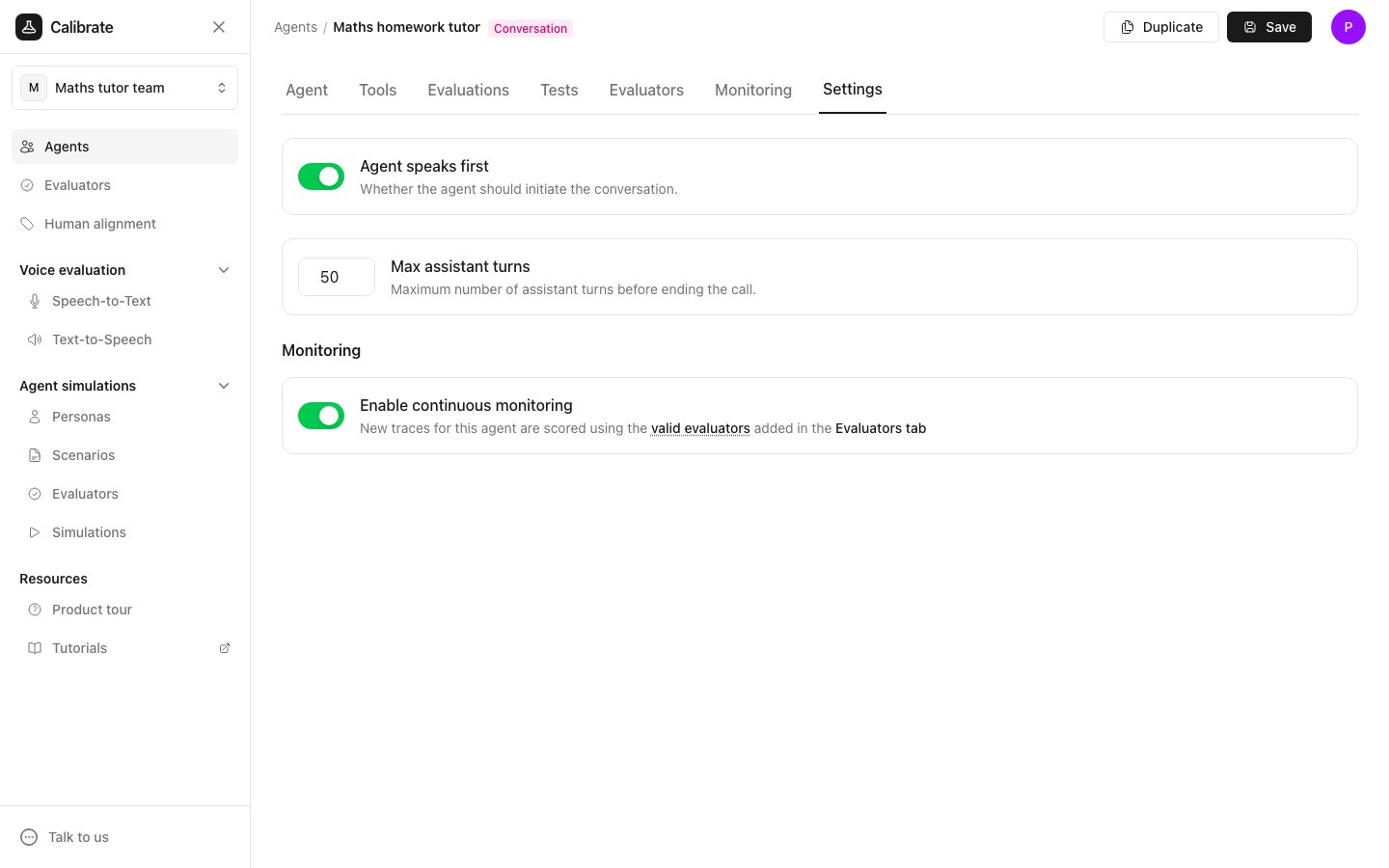
- Agent speaks first: turn this on if the agent should start the conversation. The tutor greets the student first.
- Max assistant turns: the most replies the agent gives before the call ends. The default is 50.
- Enable continuous monitoring: scores what your agent does in production with the evaluators on the Evaluators tab. See Monitor your agent in production.
Next steps
Add tools to an agent
Let the tutor save progress and fetch practice questions
Evaluate your agent with unit tests
Check the tutor’s replies and tool calls
Compare models on your tests
Find the best LLM for the tutor
Run a text or voice simulation
Have simulated students talk to the tutor