

Set up your agent
There are two ways to run simulations:Calibrate agent
Define your agent completely within Calibrate
Agent connection
Connect your existing text or voice agent
Personas
An array of user personas that simulate different types of users interacting with your agent. For a primer on personas, refer to Personas. Each persona has:interruption_config on a persona can have these keys. All are optional.
For each turn it cuts into, the persona picks a random number of words between
min_words and max_words, and cuts in once it has heard that many. If the agent finishes speaking first, the persona does not cut in. Some text-to-speech providers do not report each word as the agent speaks it, only each finished sentence. If your agent uses one of these, the persona cuts in when the sentence that reaches that number of words ends. Both values must be whole numbers of 1 or more. If you set min_words above 12, also set max_words.
Scenarios
An array of scenarios that define different conversation patterns to test. For a primer on scenarios, refer to Scenarios. Each scenario has:interruption_config on a scenario can have this key:
Evaluators
An array of LLM judges used to evaluate the agent’s performance. Each evaluator becomes its own LLM call per simulation — all evaluators run in parallel against the entire conversation transcript.You must define every evaluator yourself, including all of the context that the judge needs in its
system_prompt.You can also set the judge_model on an evaluator to use a different model. The default judge model is openai/gpt-5.4-mini.evaluators array next to system_prompt, personas, scenarios, and your other top-level keys in your simulation config JSON.
Binary evaluators produce pass/fail and appear as pass-rate percentages in the leaderboard. Rating evaluators produce an integer score on the scale you define and appear as mean scores in the leaderboard.
Settings
Optional settings to control the simulation:STT, LLM, and TTS (voice simulations only)
For voice simulations, specify the STT, LLM, and TTS providers:Full examples
Calibrate agent example
Calibrate agent example
See the full text simulation file on GitHub and the full voice simulation file on GitHub. The snippet below matches the text setup; voice runs add
stt, tts, and llm (with model) and may set interruption_config on personas and scenarios. See the voice sample for those keys.Agent connection (Chat agent) example
Agent connection (Chat agent) example
See the full file on GitHub.Refer to Agent Connections → Chat agent for the full reference.A simulation sends the conversation so far on every turn, so the agent must accept
{"messages": [...]}. A config whose agent_type is general is rejected before the run starts.Agent connection (Outbound voice agent) example
Agent connection (Outbound voice agent) example
See the full file on GitHub.Refer to Agent Connections → Outbound voice agent for the full reference.
Get started
Interactive mode
Runcalibrate-agent simulations with no arguments to launch the interactive UI:
- Simulation type — select “Text”
- Config file — path to your config file
- Provider — OpenRouter or OpenAI
- Model — the model used for the agent
- Parallel count — how many simulations to run simultaneously (default:
1) - Output directory — where results will be saved (defaults to
./out) - API keys —
OPENROUTER_API_KEY(used by the user simulator and LLM judge), plusOPENAI_API_KEYif you selected OpenAI
- Simulation type — select “Voice”
- Config file — path to your config file (with
stt,tts, andllmset) - Parallel count — how many simulations to run simultaneously (default:
1) - Output directory — where results will be saved (defaults to
./out) - API keys — enter the API keys for the selected providers
- Simulation type — select
TextorVoice - Config file — path to your config file
- Parallel count — how many simulations to run simultaneously (default:
1) - Output directory — where results will be saved (defaults to
./out) - API keys — only
OPENROUTER_API_KEYis required (used by the user simulator and LLM judge)
Non-interactive mode
Pass--type text or --type voice and a config file directly to skip the UI.
Calibrate agent (text):
-n:
You can also set the default parallelism with the
CALIBRATE_SIMULATION_PARALLEL environment variable (defaults to 1). The
-n/--parallel flag takes precedence over it when provided.--skip-verify to skip this step — useful in CI/automation pipelines where you’ve already confirmed the agent is reachable:
Output
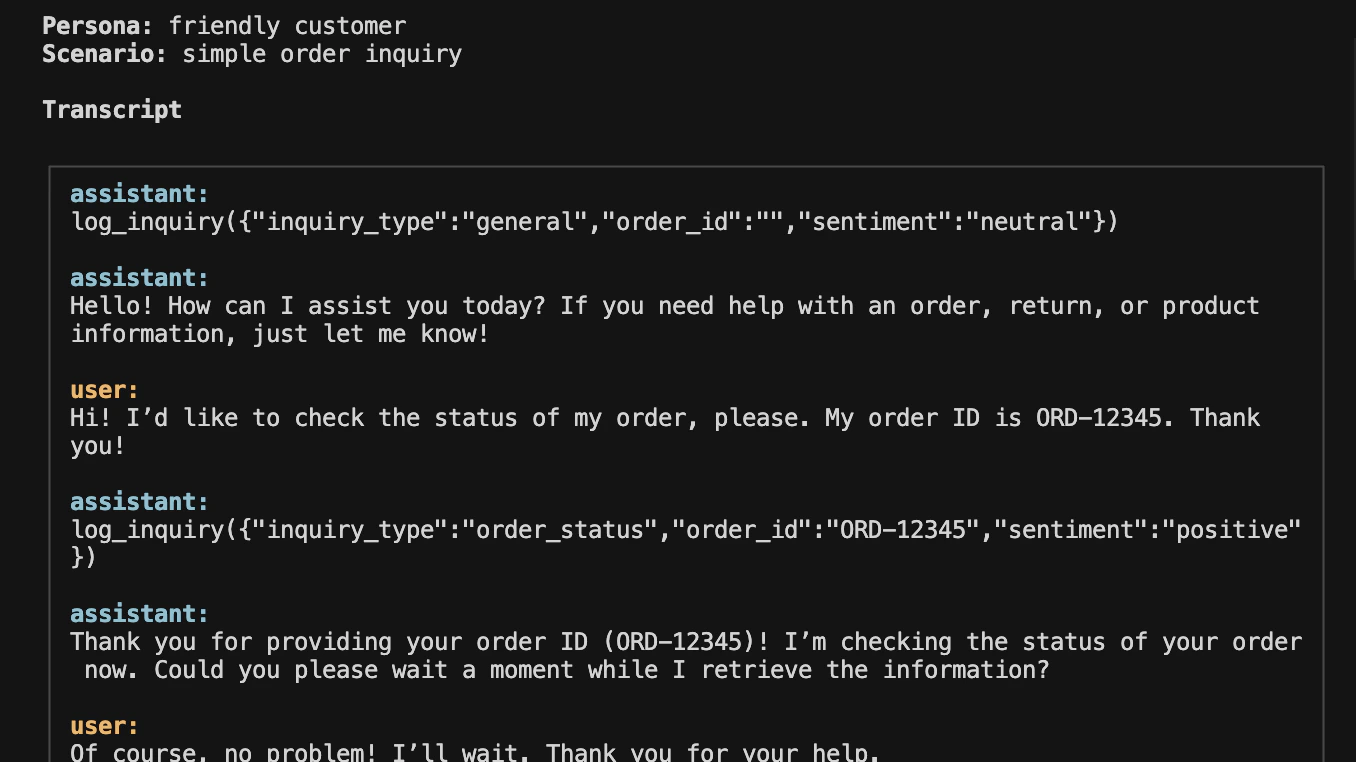
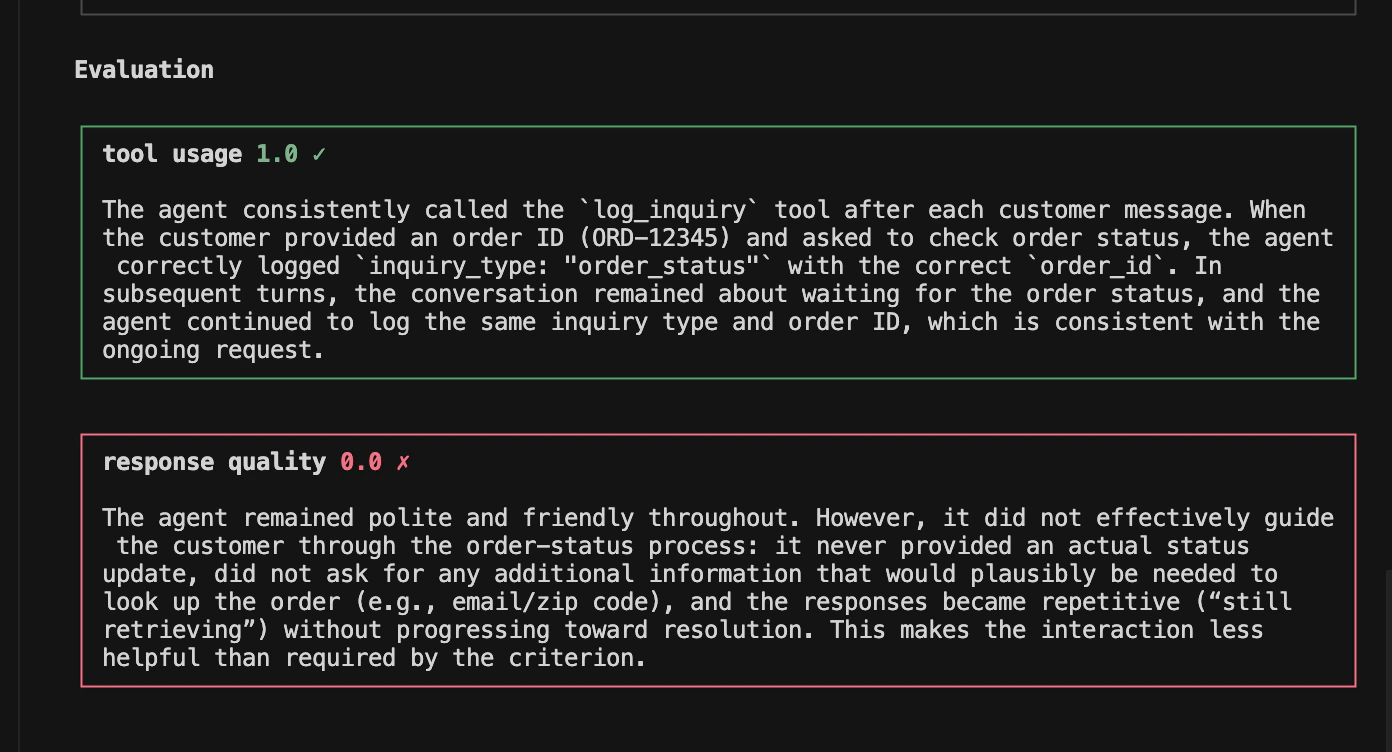
Once all simulated conversations complete, it displays the overall metrics aggregated across all simulations along with bar charts for visualization.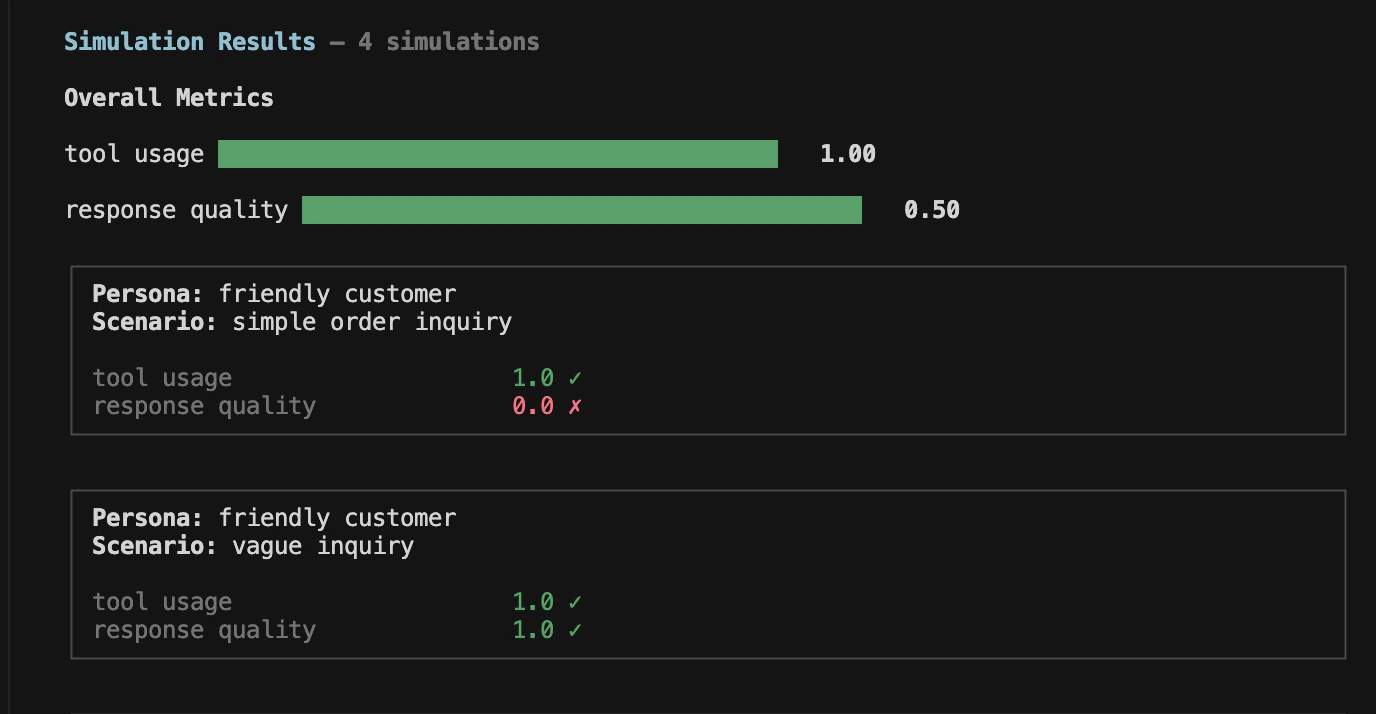
Resources
Personas
Learn how to create realistic user personas
Scenarios
Learn how to write effective scenarios